
Bots
Chat with Tutor, Socratic Tutor, Coach and Researcher, build your own bots and open them beside your work.
Тази страница все още не е преведена. Показва се английската версия.
Bots are chat assistants that each do one job. Open one next to your notes, quiz or PDF and it reads what is open beside it.
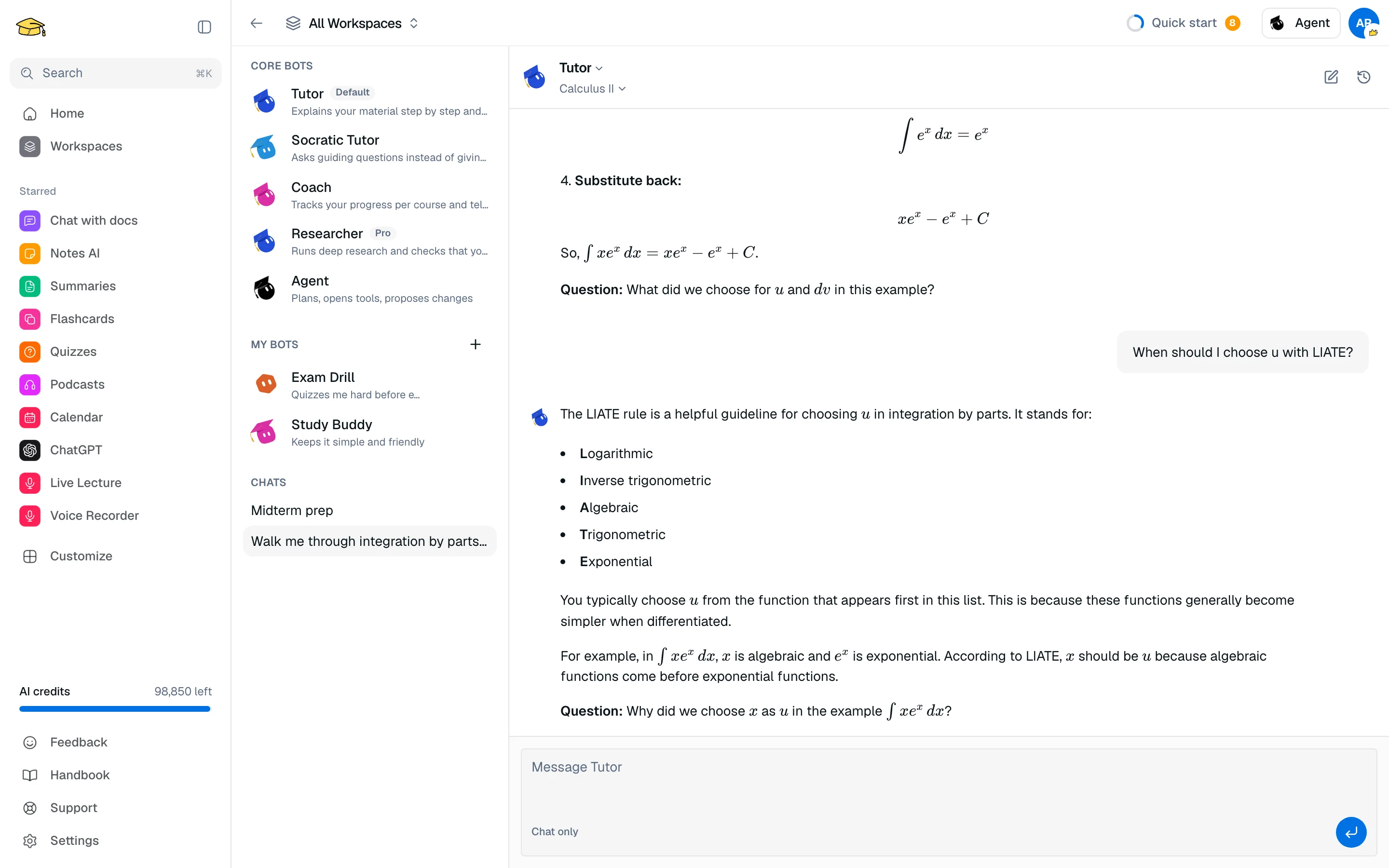
Core bots
| Bot | Job | Plan |
|---|---|---|
| Tutor | Explains your material step by step and checks you understood | Free |
| Socratic Tutor | Asks guiding questions instead of giving the answer | Free |
| Coach | Tracks progress per course and tells you what to do next | Free |
| Researcher | Runs deep research and checks that sources hold up | Pro |
| Agent | Plans your studies and proposes changes. See Agent | Free |
Tutor is the default. Go to /camp/bots to start a chat.
Open a bot in a session
Click the bot button (Open a bot beside) in the session top bar and pick a bot. It opens in a tile beside your work. A bot reads the tool in the tile you are using, such as the open note or file, or your whole course when nothing is open.
Custom bots Pro
Click + next to My bots, then set a name, what it is for, a style (Friendly, Socratic, Explain simply, Examiner, Concise) and your instructions. You can have up to 5. Custom bots only chat: instructions change how they teach, not what they can do.
Team chat Pro
On the Team tab of /camp/agent, start a New team chat with 2 to 4 bots. Use @ to pick who answers, for example "@Coach".
Cost and limits
Each reply costs 50 credits. On Free, Tutor, Socratic Tutor, Coach and Agent share 2 questions per day. Researcher, custom bots and team chat need Pro.