
Code playground
Write and run code in the browser with an AI tutor beside the editor, and keep playgrounds and snippets.
Denne side er ikke oversat endnu. Viser den engelske version.
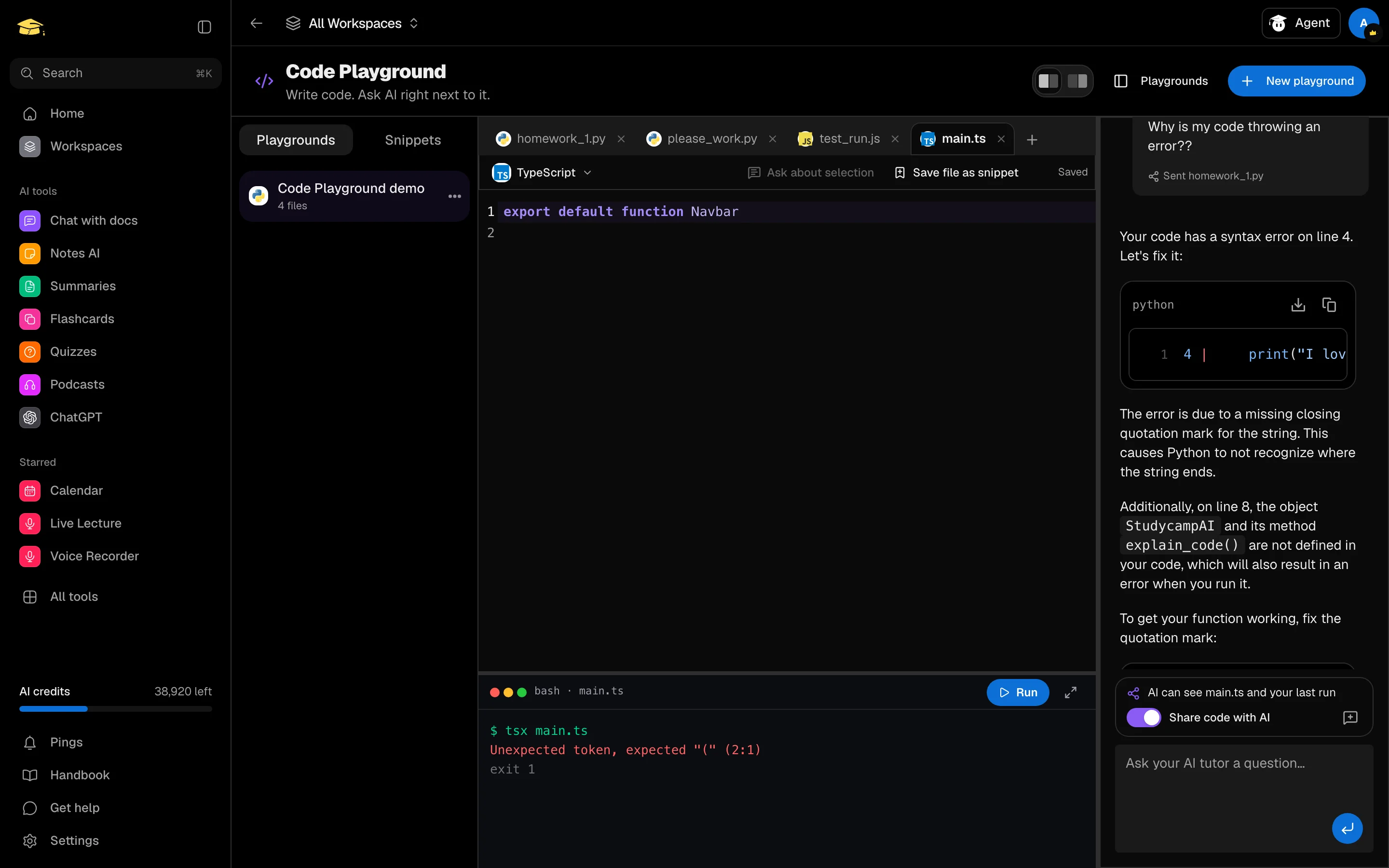
Code Playground, in the Backpack, puts an editor next to an AI tutor. Run code in the browser, ask about what you wrote, and keep the result as a saved playground.
Open it
Open Code Playground from your Backpack or the sidebar, at /camp/code. You can also add it as a Code Playground tile in a study session, next to your notes.
Click New playground. Your playgrounds and a Snippets library are in the sidebar rail. Layout options swap the editor and chat sides, or drag the divider to resize. On a phone, switch between the Code and Chat tabs.
Write and run
A playground holds up to 20 files, each up to 100,000 characters. Click New file, choose a language, or rename the file and the language follows the extension.
These languages run in your browser: JavaScript, TypeScript, Python, Ruby, Lua and SQL (SQLite). HTML shows a live preview. Other languages get syntax highlighting but cannot run.
Click Run or press Ctrl/Cmd + Enter. Output and errors appear in the terminal, and long runs stop with a timeout. Your code is saved automatically (Saving..., then Saved).
Ask the tutor
The chat can see your active file, your selected lines and your last run. A label above the input tells you exactly what is shared. Turn Share code with AI off and it reads Code stays on your device.
Select code and press Ctrl/Cmd + K to ask about it. Use Insert into editor on a code block in an answer. Each playground keeps its own chat, and New chat clears it without touching your code.
Each message costs 50 credits. The tutor cannot run code itself.
Snippets
Save a selection with Save selection as snippet, or the whole file with Save file as snippet. Search, Copy or Insert into editor from the Snippets tab. You can keep up to 100 playgrounds and 500 snippets.