
Live lecture
Record class and get a live transcript and structured notes, then quiz yourself the moment it ends.
Ova stranica još nije prevedena. Prikazujemo englesku verziju.
Live Lecture records a class and writes a transcript and notes while the lecturer talks. When you stop, the lecture is ready for chat, quizzes and flashcards.
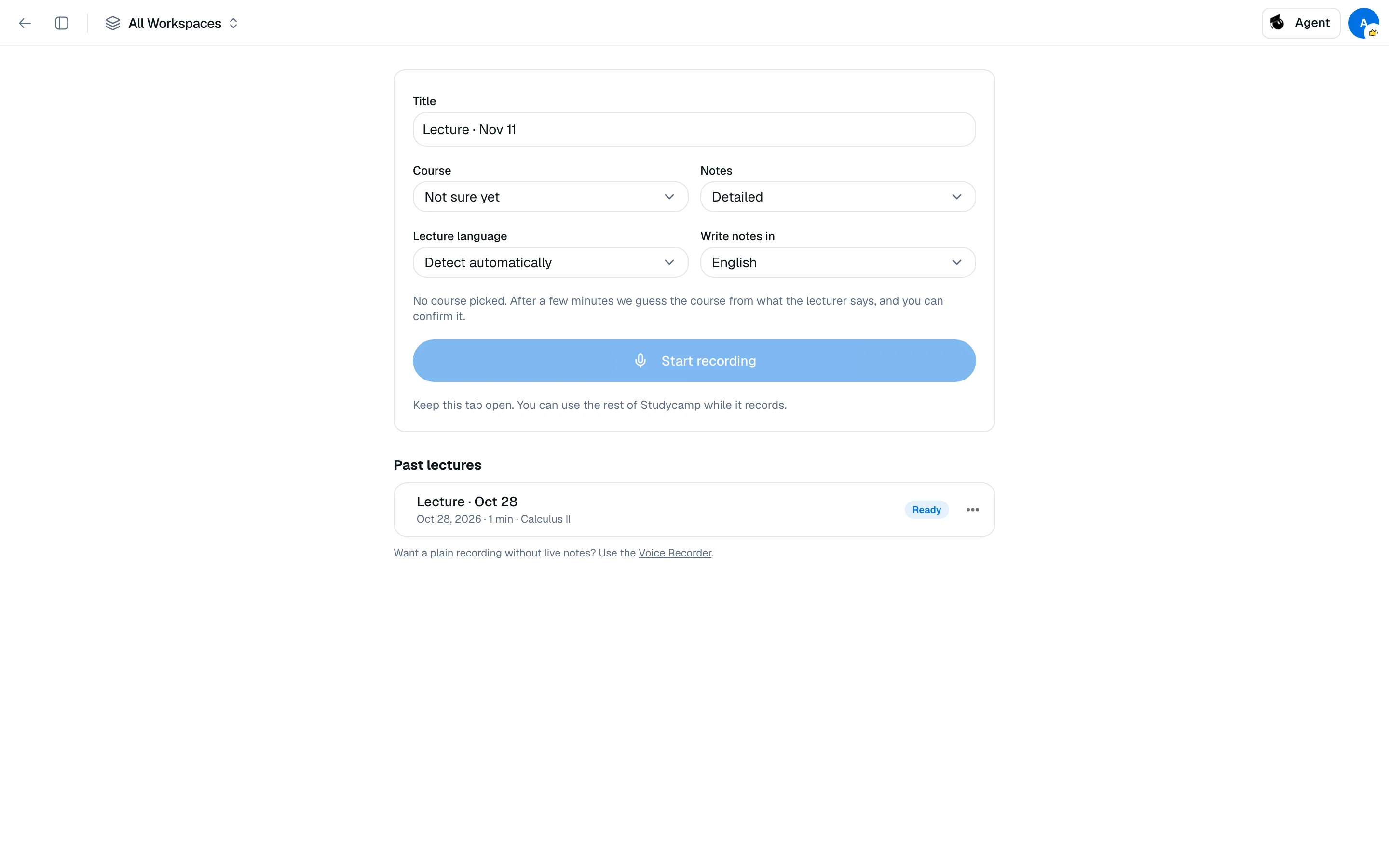
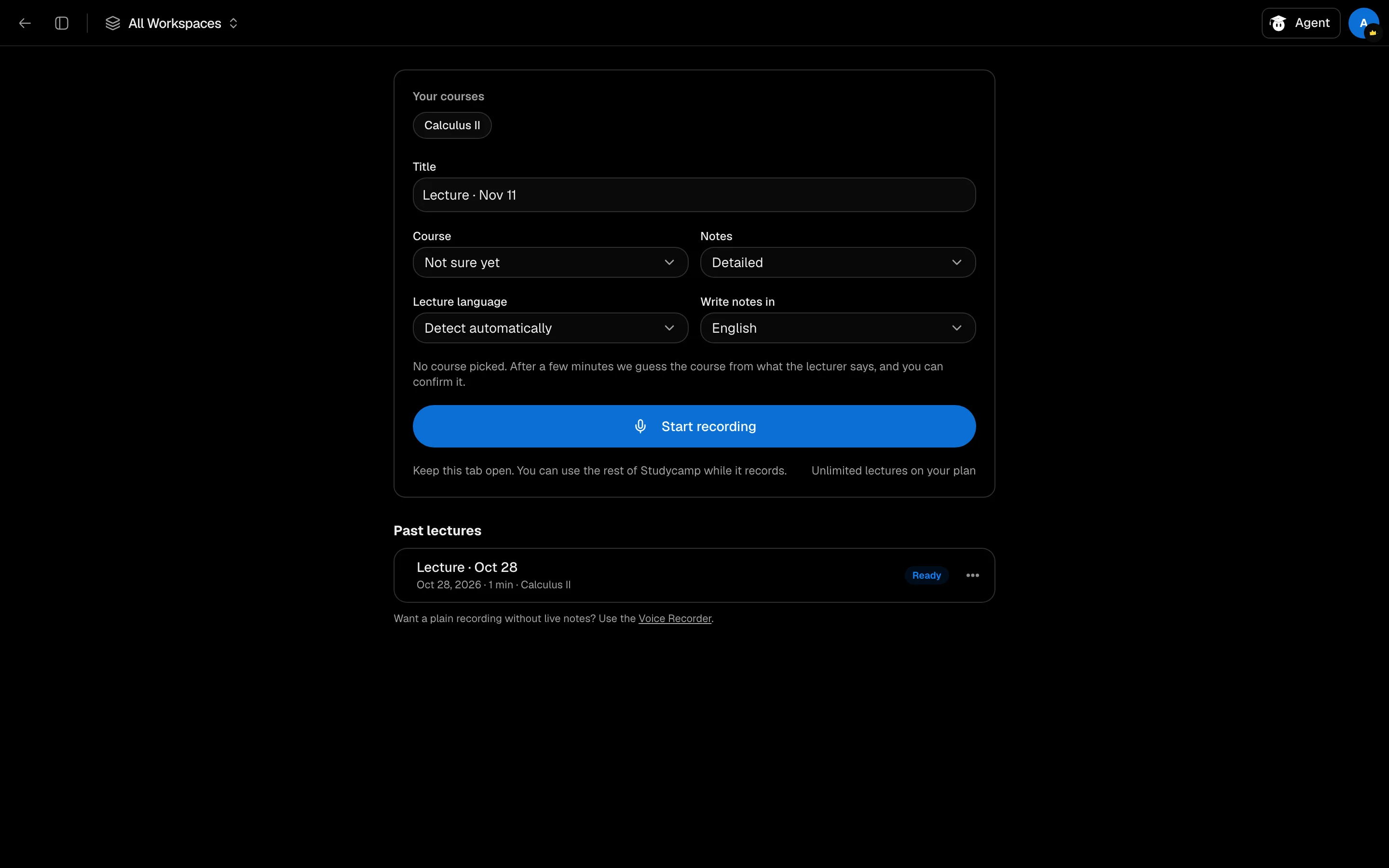
Record a lecture
- Open /camp/live-lecture and click New lecture, or use the Live Lecture Backpack tool in a session.
- Pick the Course. If your calendar has a class on now, it is picked for you. With Not sure yet, Studycamp guesses the course after a few minutes and asks you to confirm.
- Set Lecture language, Write notes in and notes style (Detailed or Short).
- Click Start recording and allow the microphone.
- Click Stop when class ends.
While it records
The Transcript and Notes tabs update as you go; about once a minute a new section of notes appears. You can use the rest of Studycamp while it records, but keep the tab open. Offline, audio is saved on your device and uploads when you are back. After 10 quiet minutes it pauses itself.
After you stop
Use Ask about it, Quiz me, Flashcards, Make summary, quiz and flashcards or Podcast recap. Continue recording adds more to the same notes. Lectures are filed in a Lectures folder in Notes.
Limits
| Free | Pro | |
|---|---|---|
| Lecture minutes | 60 a month | Unlimited |
Lectures use minutes, not credits. The study tools you run afterward cost their normal credits.
If it does not work
If you see "Microphone blocked", allow mic access in your browser settings. If you see "You already have a lecture recording", finish that one first; only one can run at a time.