
Campfire
Study with friends in rooms and direct messages with chat, calls, a shared focus timer and shared flashcards.
This page is not translated yet. Showing the English version.
Campfire is where you study with other people. Create a room for a course or study group, or message one friend directly, then chat, call, run a focus timer together or quiz each other on flashcards.
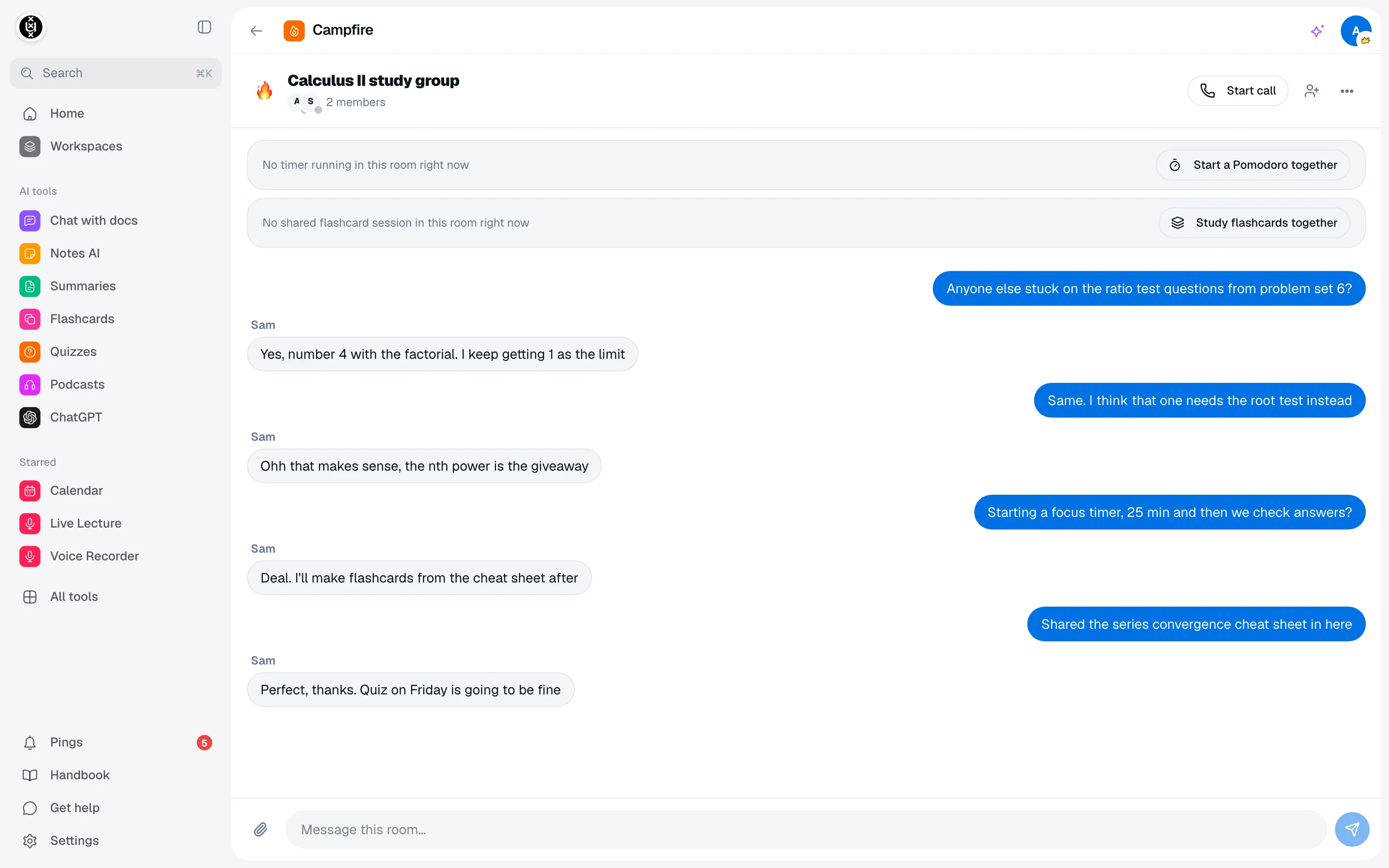
Create a room
You need at least one friend first. See Friends.
- Open Campfire from the sidebar.
- Click New room.
- Enter a Room name and pick people under Add friends.
- Click Create room.
Your list is split into Direct messages and Rooms. To start a direct message, open a friend from the Friends page and choose Message.
Invite people
Open the room and choose Invite people to get a link. Copy it or use Share. Anyone who opens the link can accept, decline or block the invite.
The room owner decides whether other members can invite. Turn Members can invite on in Room settings.
Chat, files and mentions
- Type in Message this room to send a message. Use Mention someone to notify a member.
- Use Attach a file to share a file up to 25 MB. Allowed types are images, PDF, plain text, CSV, Word, Excel and ZIP.
- Unread rooms show a badge, and invites, mentions and calls land in Pings.
Call, focus and quiz together
- Start call opens a call. Others see an incoming call and can Join call.
- Start a Pomodoro together runs one timer for the whole room.
- Study flashcards together lets you share a deck. Each person marks Knew it or Didn't know, and the person who shared the deck controls the pace.
Your status shows to friends as Online, In a call, In a Pomodoro or Studying flashcards.
Room settings
Open Room settings to rename the room or switch Members can invite, File sharing and Video calls on or off. Use Leave room to exit, or Delete room to remove it and all its messages for everyone.